
Point of sale for restaurants, shops, pharmacies & boutiques
Sell at the counter, on WhatsApp and online. See your stock, credit and profit on your phone — and keep selling when the internet goes off.



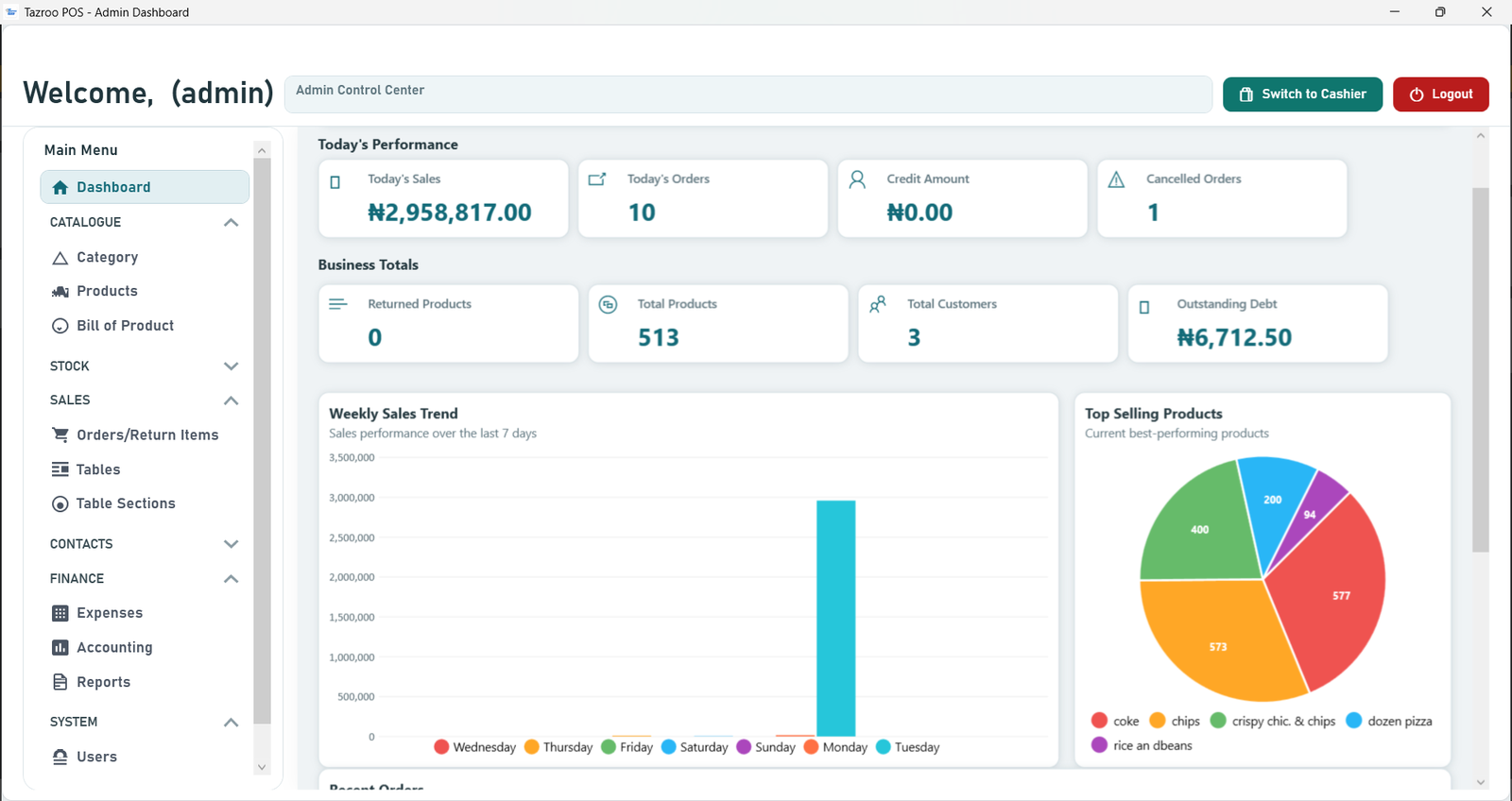
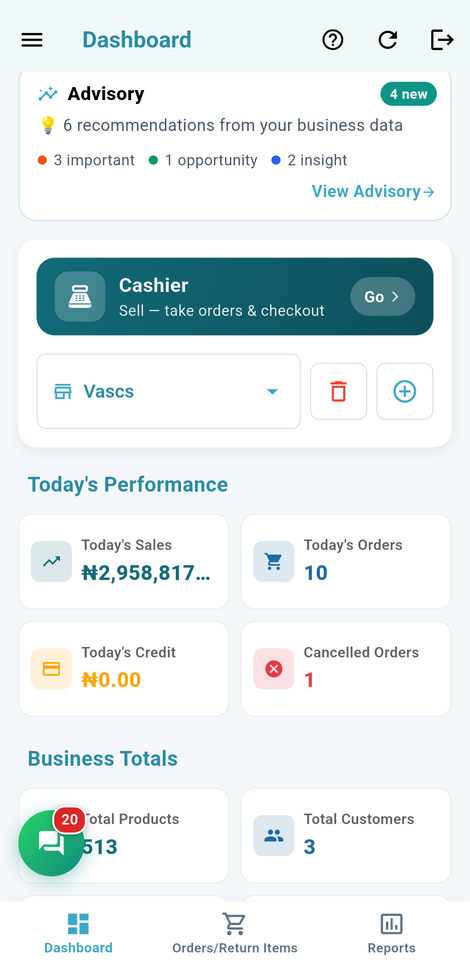
Same sales on the desktop and the phone
Businesses running on Tazroo











Tazroo Delivery · Kano
Tell us where from and where to on WhatsApp, book online, or tap Send a Package in the app. The nearest free rider picks it up from your door and you follow him on the map.
Anywhere in Kano. The nearest rider picks it up from your door.
Book now ›Send the shop and your list — typed, a photo or a voice note. We buy it and bring it.
Start on WhatsApp ›Kano to Abuja ₦3,000, Lagos ₦5,000, Kaduna ₦2,000 — 21 places by road. Air on request.
Ask on WhatsApp ›The rider drops it off, waits up to 10 minutes and comes back — with the payment or the paper.
Ask on WhatsApp ›See how Tazroo Delivery works › · Shops on Tazroo POS send an order to a rider straight from checkout. · Riders: join Tazroo
The whole app
Not a checkout screen with extras bolted on. This is the complete system a shop actually runs on, in one place.
Fast checkout that keeps going when the internet does not.
Ring up sales in seconds, scan barcodes, split bills, park orders, and take cash, card or bank transfer.
Keep selling when the internet drops. Everything saves on the device and syncs safely once you are back.
Arrange your floor plan, park an order on a table, and take bookings and advance orders ahead of the day.
A second screen facing the customer showing their items and total as the cashier rings them up, and your menu when the cashier screen is idle.
Know what you have, who owes you, and what you really made.
Live stock counts, cost and wholesale prices, batches and expiry, suppliers, and reorder alerts before a shelf empties.
Customer records, deposits, outstanding debt and repayments, with a clear ledger for every single account.
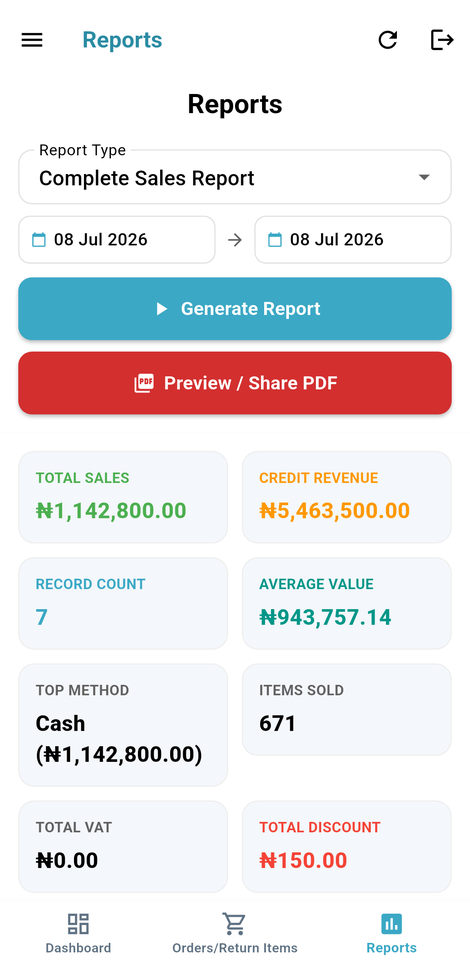
Daily, weekly and custom reports by cashier, product or category — on screen, on the printer, or shared as a PDF.
Record expenses, keep proper double-entry books, and see a profit figure that actually adds up at month end.
Every cashier and every branch, from your phone.
Today’s sales, top products, credit and recent orders at a glance — on the desktop and in your pocket.
Every cashier gets their own login, and you control exactly what each of them is allowed to see and do.
Add or link each of your branches in the mobile app and switch between them in a tap — every branch at a glance, or all of them together.
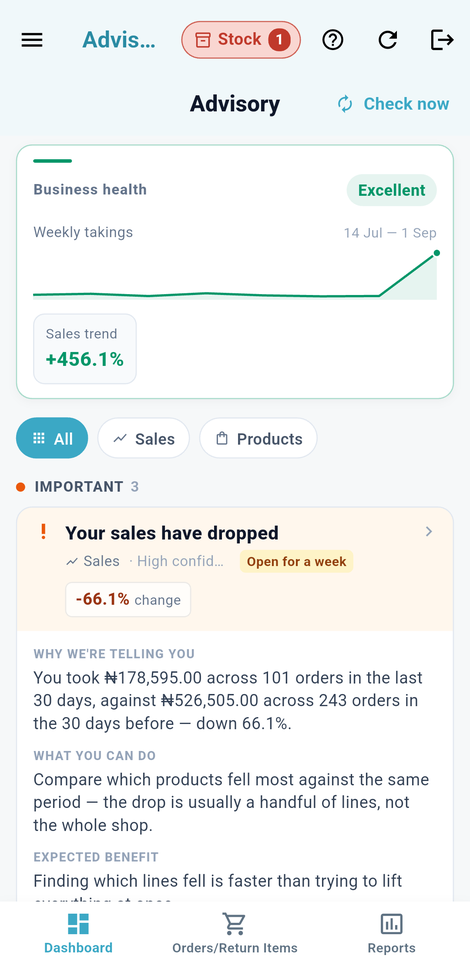
The mobile app reads your own figures and tells you what changed — sales down on last month, a line that stopped moving — and what to do about it.
Orders from the table, the kitchen and online.
Your waiters take orders at the table on a phone, over the shop’s own network. The order reaches the kitchen before they walk back.
A screen in the kitchen showing live orders and how long each has been waiting — instead of paper tickets piling up.
A website carrying your own business name, built from the products already in your Tazroo app. Available as an add-on.
An assistant that answers customers on WhatsApp and Instagram with your live prices. Available as an add-on.
Built for how you trade
Pick your business type when you sign up and the app arranges itself around how you actually sell.
Front of house and kitchen on one screen, from the first order to the split bill.
Retail stock control that holds up when you are moving real volume.
Serial-level stock for phones, laptops and gadgets, with accessories counted the ordinary way.
The three things that quietly cost a pharmacy money, all visible.
Variants that behave like separate items, because that is what they are.
On the counter
Categories down one side, product tiles with prices in the middle, and a cart that adds up as they tap. New staff pick it up in minutes, not days — and the admin side is one click away in the same window.
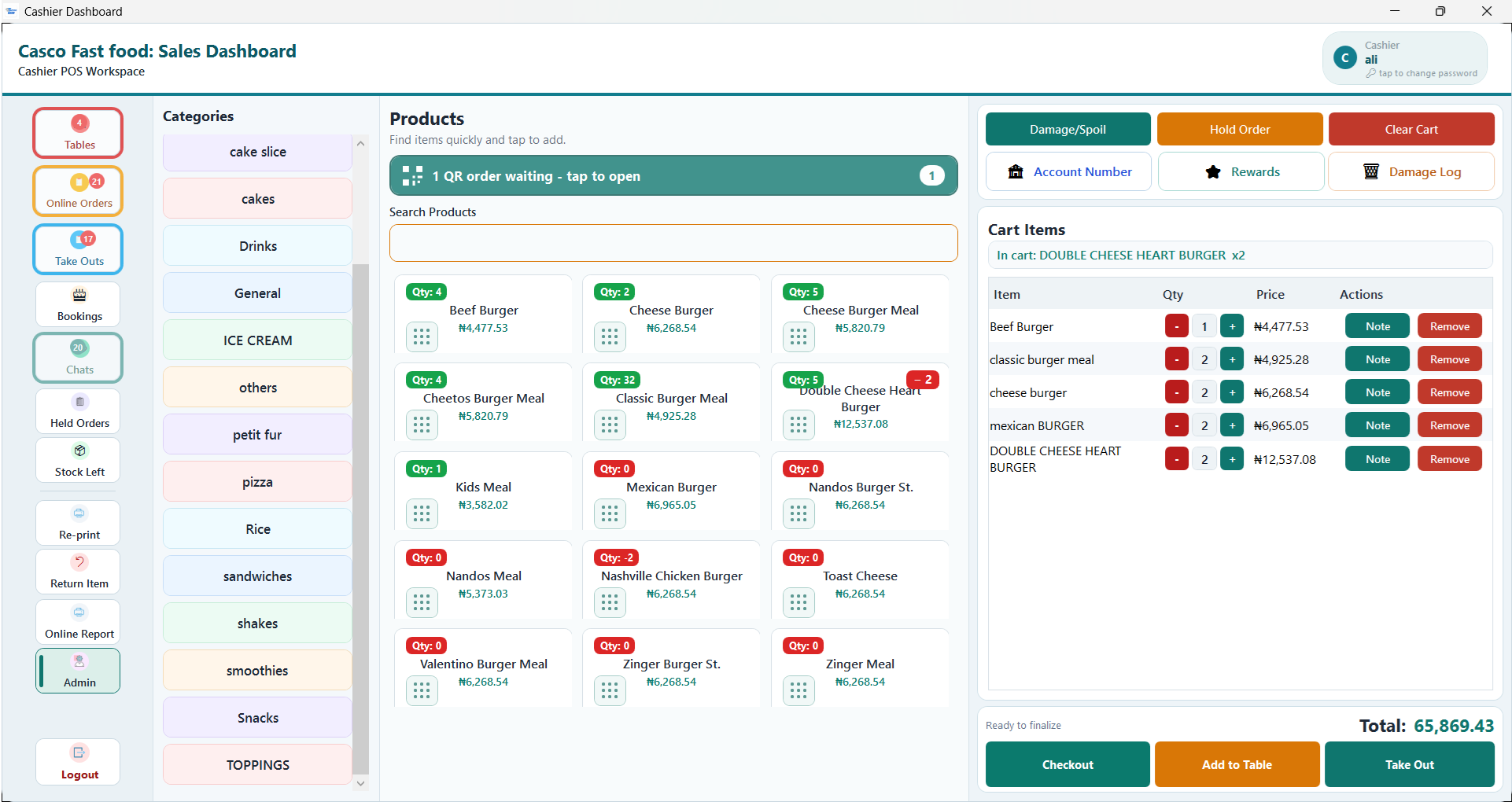
The cashier’s sales screen on the Windows desktop app.
Vendor & customer
The same Tazroo app opens as your business or as a customer. You get the shop; they get a way to reach it.
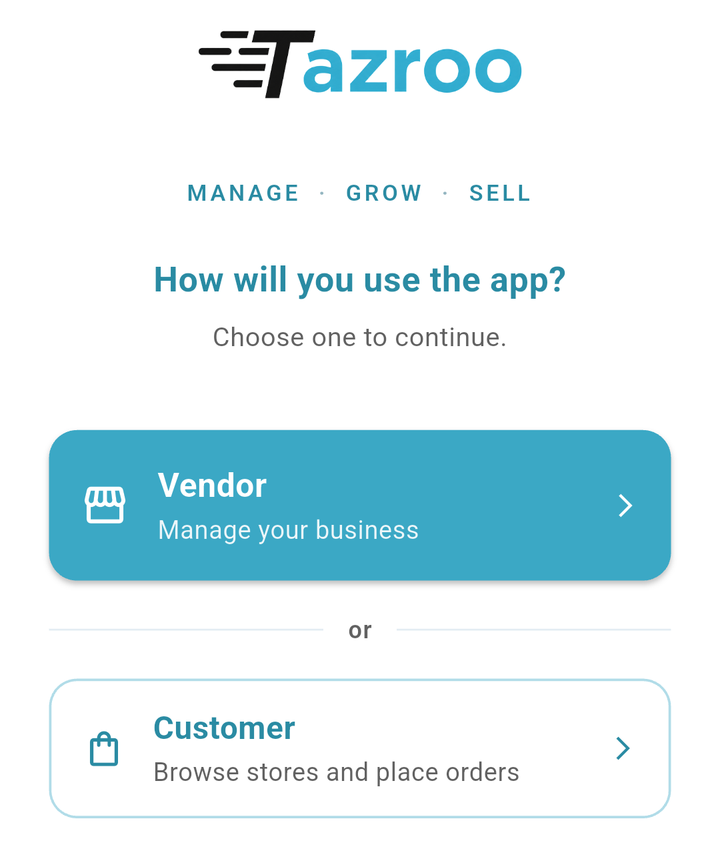
The same app, opened two ways.
Everything in the desktop app, on the phone too — so you can leave the shop without leaving the books behind.
Your customers order from you directly — and every order lands in your Tazroo app like any other sale.
AI order taking
Customers message your business on WhatsApp or Instagram, or open your web shop, and the Tazroo assistant answers them — quoting your real prices from your live catalogue, taking the items, collecting the delivery address, and dropping a finished order into your Tazroo app.
On WhatsApp, on Instagram, or through your own web shop link — whichever they already use.
With your real items and today’s prices, straight from your catalogue. Never a stale menu.
Items, quantities, and the delivery address, confirmed back to the customer before anything is placed.
A finished order on the same screen as your counter sales, ready to fill.
It tells customers it is automated, and hands the conversation straight over to you the moment someone asks for a person — so nobody is ever stuck talking to a machine.
See it working
Pricing
One price for your whole shop — not per cashier, not per device, and the same price whether you run a restaurant, a supermarket, a phone shop, a pharmacy or a boutique.
Desktop POS
For a shop that sells from a counter
or ₦6,000 / month
Desktop + Mobile
The counter and the phone, in step
Both apps, one subscription
Saves ₦60,000 against buying bothMobile POS
For selling from a phone or tablet
or ₦6,000 / month
Complete
Counter, phone and customers ordering themselves
Everything we build, one subscription
Business website & online ordering
Your own shop on the web
Talk to us
Priced per business
AI order taking
WhatsApp & Instagram assistant
Talk to us
Priced on your order volume
Custom build
Built around how you actually work
Request a quote
Scoped and quoted with you
There is no separate pharmacy plan or restaurant plan. Every plan above is the whole system — you pick your business type when you set up and the app arranges itself around it.
Food & drink
General retail
Electronics
Chemists & clinics
Clothing & shoes
Prices are in Naira, per business, and cover your shop rather than each cashier. Hardware such as printers and scanners is priced separately.
Getting started
STEP 1
Name your shop and pick your type — restaurant, store, pharmacy or boutique. We help you load your products, prices and opening stock.
STEP 2
Give each cashier a login and decide what they can see. Print a test receipt and you are trading.
STEP 3
Stock drops as you sell, credit is tracked per customer, and the day’s figures build themselves while you work.
STEP 4
Add your own web shop or the WhatsApp assistant when you are ready, and take orders while the shop is closed.
Questions
Tazroo keeps selling. Sales, stock and customer records save on the device itself, and everything syncs on its own the moment the connection comes back. You do not have to remember to do anything.
Yes. We import from a spreadsheet, and there is a built-in importer for QuickBooks POS export files that maps your departments to categories and your prices across. We do the first load with you.
No. It runs on an ordinary Windows PC or laptop, and on any Android phone or iPhone. It works with the usual receipt printers and barcode scanners, and a customer-facing second screen is optional, not required.
As many as you need — the price is per business, not per cashier and not per device. Every cashier gets their own login, and you control exactly what each of them is allowed to see and do.
Yes. Each branch keeps its own stock and its own figures, you can move stock between branches with a proper record of it, and you can report on one branch or all of them together.
Your data is backed up to your Tazroo account, not only to the machine on the counter. If a PC has to be replaced, an admin can restore the business onto the new one. Ask us and we will walk you through exactly how it works for your setup.
Support
A system that stops at 11pm on a Friday cannot wait until Monday. Our support team answers any time, day or night, every day of the week — weekends and public holidays included.
Open now · 24 hours, 7 days
In the app
Tap Need help?
Right from the Windows app or the phone app, without leaving the screen you are on.
Tell us what you sell and we will show you Tazroo running on your own products, then help you get set up. And once you are running, we answer 24 hours a day, every day.
Phone
Office
Suite A13 Alhamsad Tower,
Opp. Ado Bayero Mall,
Kano, Nigeria
Tazroo Support
Online now · 24/7
Hi there 👋
How would you like to reach us? A real person answers, day or night.